






How to Manage Launch Timelines with AI Tools
Managing product launches can be overwhelming, with delays and inefficiencies often derailing timelines. AI tools are changing the game by automating repetitive tasks, predicting bottlenecks, and helping teams stay on track. Tools like ClackyAI, Miro AI, and Asana streamline planning, task management, and visualization, making launches faster and more efficient. Here's a quick breakdown of how AI can help:
- Set Clear Goals: AI generates project frameworks, breaking down large tasks into manageable milestones.
- Automate Tasks: Platforms like ClackyAI turn discussions into actionable plans and build production-ready apps without coding.
- Track Progress: Tools like Asana provide real-time dashboards to monitor dependencies and risks.
- Visualize Timelines: AI-powered charts and roadmaps simplify complex data for better team alignment.
- Choose the Right Tool: Compare features to find the AI solution that fits your team’s needs.
Day 10: Build an AI Product Launch Planner with Google AI Studio
Step 1: Set Your Launch Scope and Create a Starting Timeline
To kick off your launch, start by defining your goals, deliverables, and key checkpoints. Many teams struggle with "blank canvas paralysis" when faced with an empty project board. AI tools can help by generating structured frameworks based on a simple description of your project vision, making it easier to get started [4]. These frameworks provide a solid foundation and enable timelines tailored to your specific project needs.
Begin by using AI to create essential documents like project charters, vision statements, and stakeholder maps. These documents clarify the "why" and "who" behind your launch [5][6]. Tools such as Miro AI can take your existing notes, user stories, or requirements and convert them into actionable timelines. For instance, in 2025, PepsiCo used Miro AI to cut a typical three-year process down to just 10 months [4].
Using AI to Build Your Timeline
AI tools can generate customized timelines based on the details of your project. By inputting your launch information into tools like Miro AI, you can create a Work Breakdown Structure (WBS) that divides large deliverables into smaller, manageable tasks [5][7]. For example, prompts like “Identify five major project milestones with target dates” can produce specific, actionable outcomes [5]. AI also analyzes historical project data and team capacity, helping you set realistic deadlines instead of relying on guesswork [4][5].
Treat AI-generated timelines as starting points rather than finished plans. Share these drafts with your team for feedback to identify dependencies and refine the structure [4][1]. Use prioritization frameworks, such as RICE, to focus on high-impact goals [6]. Don’t forget to include buffer time - 10–15% for familiar tasks and up to 50% for more complex or risky work. This is especially important since 80% of project team members report spending half their time reworking tasks due to unclear initial requirements [3].
Breaking Down Your Timeline into Milestones
Once you’ve drafted a timeline, divide it into clear phases. AI can help identify natural milestones - key checkpoints like “Design phase complete” or “User testing successful” - and suggest logical sequences based on task dependencies [3][7]. Clustering features in AI tools can organize tasks into thematic groups, such as Development, Testing, Marketing, and Deployment [1][6].
Here’s an example of an AI-structured milestone framework:
| Milestone Phase | AI-Generated Insight/Action | Key Deliverable |
|---|---|---|
| Development | Generate WBS and technical requirements | Functional Prototype |
| Testing | Identify edge cases and beta testing risks | QA Approval Report |
| Marketing | Brainstorm 20+ feature-based campaign ideas | GTM Strategy & Assets |
| Deployment | Create high-level launch checklists | App Store/Market Submission |
Considering that large IT projects often run 45% over budget and 7% over schedule while delivering 56% less value than expected [7], using AI for milestone planning can help avoid these pitfalls. By starting with a clear, data-driven timeline, you’ll set the foundation for smoother task tracking and resource management. These well-defined milestones ensure your team stays aligned and prepared for the next stages of automation and execution using tools like ClackyAI.
Step 2: Automate Task Tracking and Resource Allocation with ClackyAI
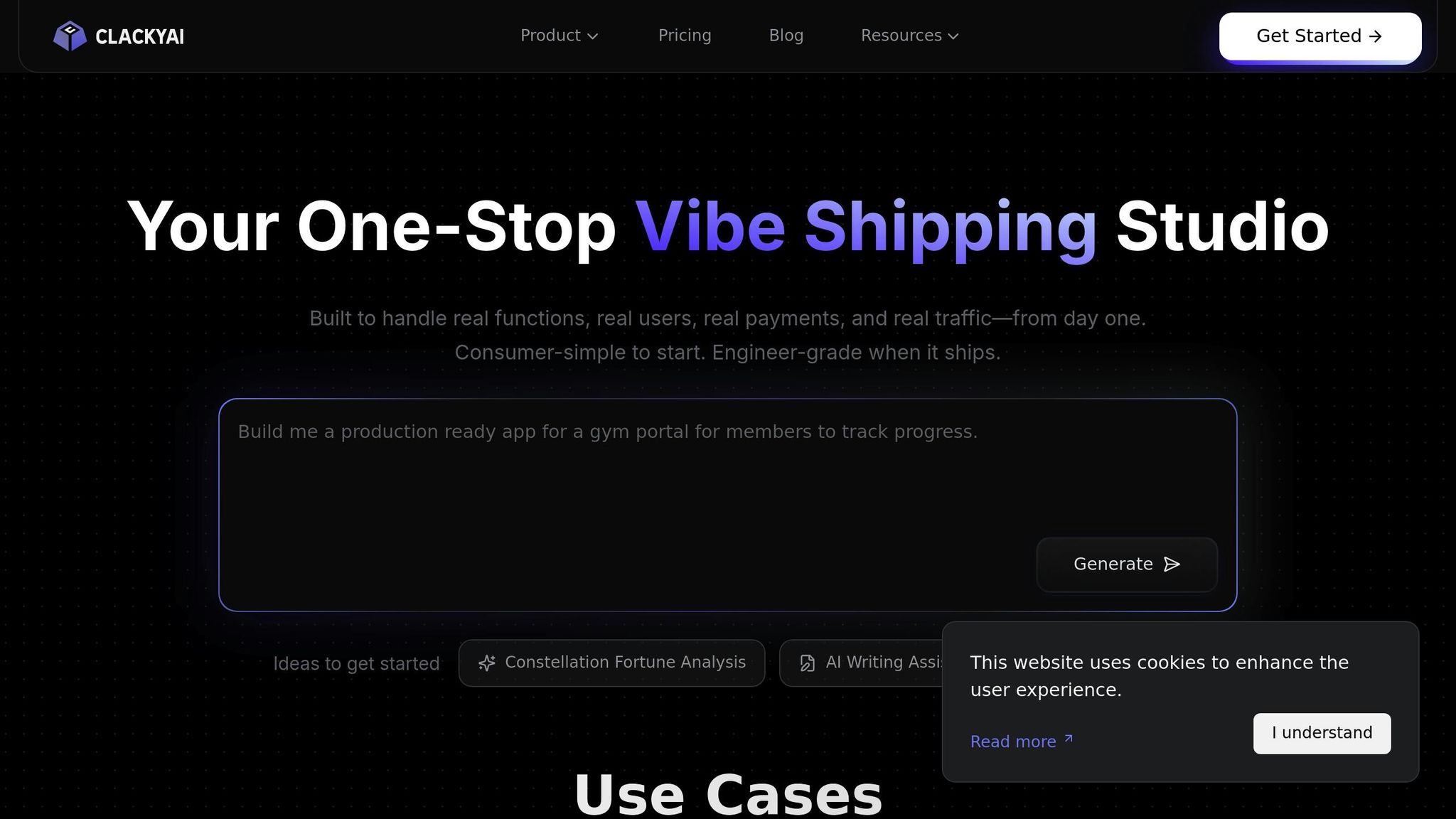
After setting your milestones, the next step is to streamline task tracking and resource allocation. Instead of relying on manual updates, ClackyAI steps in as a comprehensive AI coding assistant, automating task management and ensuring your timelines stay on track[8][9].
ClackyAI doesn’t just handle coding tasks - it strengthens your launch strategy. Its Task Plan Agent transforms discussions and GitHub issues into actionable plans. Simply type "#" to pull up GitHub issues, and ClackyAI will analyze the requirements and break them down into detailed tasks. This eliminates the hassle of converting feature requests into developer-ready actions. As Kosuke, Founder of @noimos_ai, put it:
If ChatGPT helps you brainstorm, Clacky AI helps you ship. It's the closest thing to a real AI teammate that codes, commits, and collaborates.[10]
Configuring ClackyAI for Your Launch
Getting started with ClackyAI is simple. First, connect your GitHub or GitLab repository to create a project workspace. From there, ClackyAI sets up a Root Thread to handle your initial environment configuration. This includes installing dependencies, setting up your toolchain, and generating key files like .environments.yaml[8]. This setup acts as a consistent foundation for all future development threads, keeping your project aligned from start to finish.
ClackyAI supports a variety of tech stacks, including Node.js (Next.js, React, Vue, Angular), Python (Django, Flask, FastAPI), Golang (Gin), Ruby (Rails), and Java (Spring Boot)[8]. When you open a new thread, ClackyAI performs a real-time codebase analysis, gaining a deep understanding of your project’s structure, frameworks, and dependencies. This context-aware approach ensures that the AI generates code seamlessly integrated into your existing architecture[9].
To make coding even faster, you can use Command + K (Mac) or Ctrl + K (Windows) to activate the AI prompt bar directly in your editor. From there, ClackyAI’s Git Agent takes care of commits, pushes changes to your repository, and even writes pull request descriptions - all automatically[9].
This streamlined setup ensures that ClackyAI fits right into your workflow, laying the groundwork for its advanced automation features.
Reducing Delays with AI Task Automation
ClackyAI goes beyond setup by minimizing delays through automation. Its self-healing capabilities detect and fix bugs during development, significantly reducing debugging time[8]. The platform also runs multiple threads simultaneously for frontend, backend, and API integration, effectively boosting your team’s productivity.
Additionally, ClackyAI offers zero-config integration for essential services like Stripe payments, Google/Email authentication, and Cloudinary storage. What might take days to set up manually can now be deployed in minutes. Hasan Toor, an AI & Tech Educator, highlighted its impact:
It isn't just another AI tool. It's a serious productivity upgrade... built for guided autonomy, full-stack support, and 10x speed.[10]
Step 3: Track Progress and Dependencies with Collaborative Platforms
Once ClackyAI takes over automating development tasks, the next step is ensuring your team stays aligned. Collaborative platforms like Asana play a key role here, offering real-time dashboards that provide a clear view of progress, uncover potential roadblocks, and show how individual tasks contribute to the overall project. This seamless collaboration builds naturally on ClackyAI's task automation.
Using Asana for Team Collaboration
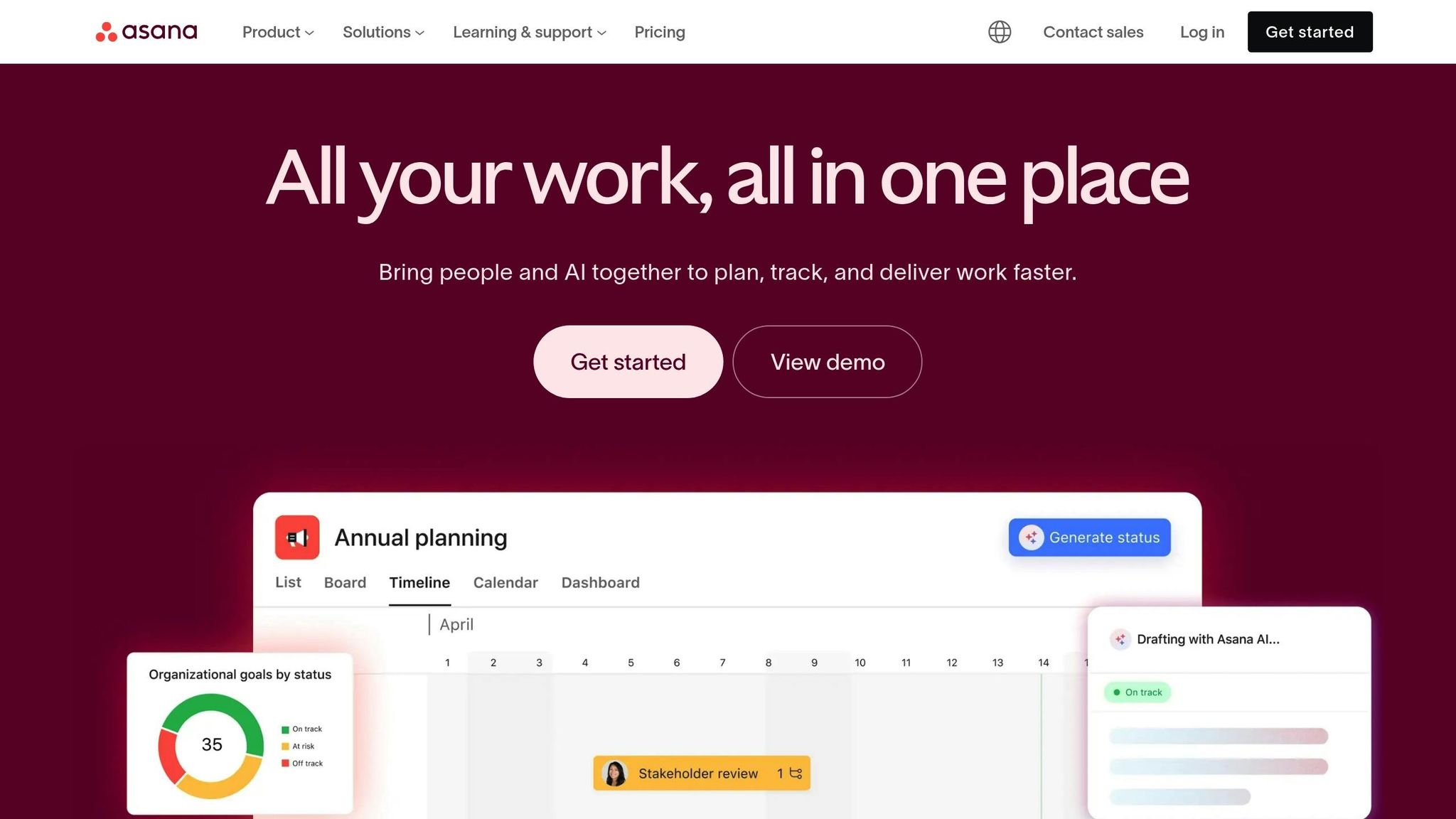
Asana's Timeline view is a game-changer for visualizing your project plan. It lays out task sequences and dependencies, making it easy to spot how delays in one area - like a design team running behind - can ripple through subsequent tasks.
The platform's Smart Status feature takes things a step further by drafting weekly updates in seconds. It uses AI to flag risks, identify blockers, and surface open questions automatically. Belinda Hardman, Director of Program Management at Morningstar, shares how this improved their workflows:
Previously, it took two weeks to review a request. Now we can eliminate time spent on manual back and forth because Asana AI is embedded directly into our workflows and captures the information we need right off the bat.[11]
For teams juggling multiple product launches, Asana's Portfolios feature provides a bird’s-eye view of project status, budgets, and milestones. This helps leadership resolve resource conflicts and prioritize effectively. Grace Jordan, Senior Brand Marketing Manager at Common Sense Media, relied on Timeline's dependency mapping for a major marketing campaign:
Timeline takes our complex plan and lays it out in a visual way, without any additional work. It shows my team, and the rest of our organization, how everything fits together.[13]
Connecting AI Tools for Better Collaboration
Integrating AI tools can take your team’s collaboration to the next level. By connecting ClackyAI with Asana through AI connectors, brainstorming sessions can instantly turn into actionable tasks. Tools like ChatGPT, Claude, or Gemini can automatically summarize milestones, flag risks, and update statuses without requiring anyone to leave their workflow[12]. This keeps communication centralized, maintains context, and ensures ClackyAI's progress stays aligned with your broader project timeline.
sbb-itb-c336128
Step 4: Visualize and Adjust Timelines with AI-Powered Tools
Once your team is aligned through collaborative platforms, the next step is ensuring your timeline is easy to interpret and adaptable to changes. AI-powered visualization tools simplify complex project data into clear, digestible charts that everyone can understand. These tools provide real-time updates, making it easier to make decisions quickly. Combined with automated task tracking, this ensures your timeline stays actionable and flexible.
Creating Clear Timeline Charts
Tools like Venngage AI can instantly turn raw data into polished timeline infographics. For example, you can input something like "Product launch timeline for a mobile app including beta testing and marketing", and the AI will generate a structured visual for you to start with [4]. Its Smart List feature makes adjustments seamless - add or remove items, and the layout updates automatically [15].
Venngage also offers over 10,000 customizable icons and illustrations, allowing you to visually represent tasks in a way that resonates with your team. Accessibility features, like alt-text generation and contrast checkers, ensure timelines are clear and inclusive for all stakeholders [14]. For added clarity, you can use color coding to assign tasks to specific teams - for instance, blue for marketing and green for engineering - helping reduce clutter and improve accountability.
If your project involves managing complex dependencies, Miro AI is another great option. It can transform brainstorming sessions into structured, actionable timelines, making it easier to keep everyone on the same page.
Updating Timelines Based on Feedback
Clear visuals are just the start - timely feedback is key to refining your strategy. When stakeholders suggest changes, AI tools can quickly adjust your timelines. For instance, you can use commands like "shift deadlines by two weeks" or "add a testing phase between design and launch" [4][16]. The AI recalculates the critical path and updates all related dependencies, saving you the hours of manual work this would typically require.
You can also share a private link with stakeholders, allowing them to comment directly on the timeline. AI tools can then restructure dates instantly based on their feedback [4]. It’s smart to build in a 10–15% time buffer for unexpected delays - projects with clear milestones are 30% more likely to succeed than those without them [15]. For example, Keller Williams, a real estate company, adopted this visual approach for their "Big Room Planning" process in 2025. The result? A 50% faster time to market and a 10% boost in sprint velocity [1].
Step 5: Compare AI Tools for Launch Management
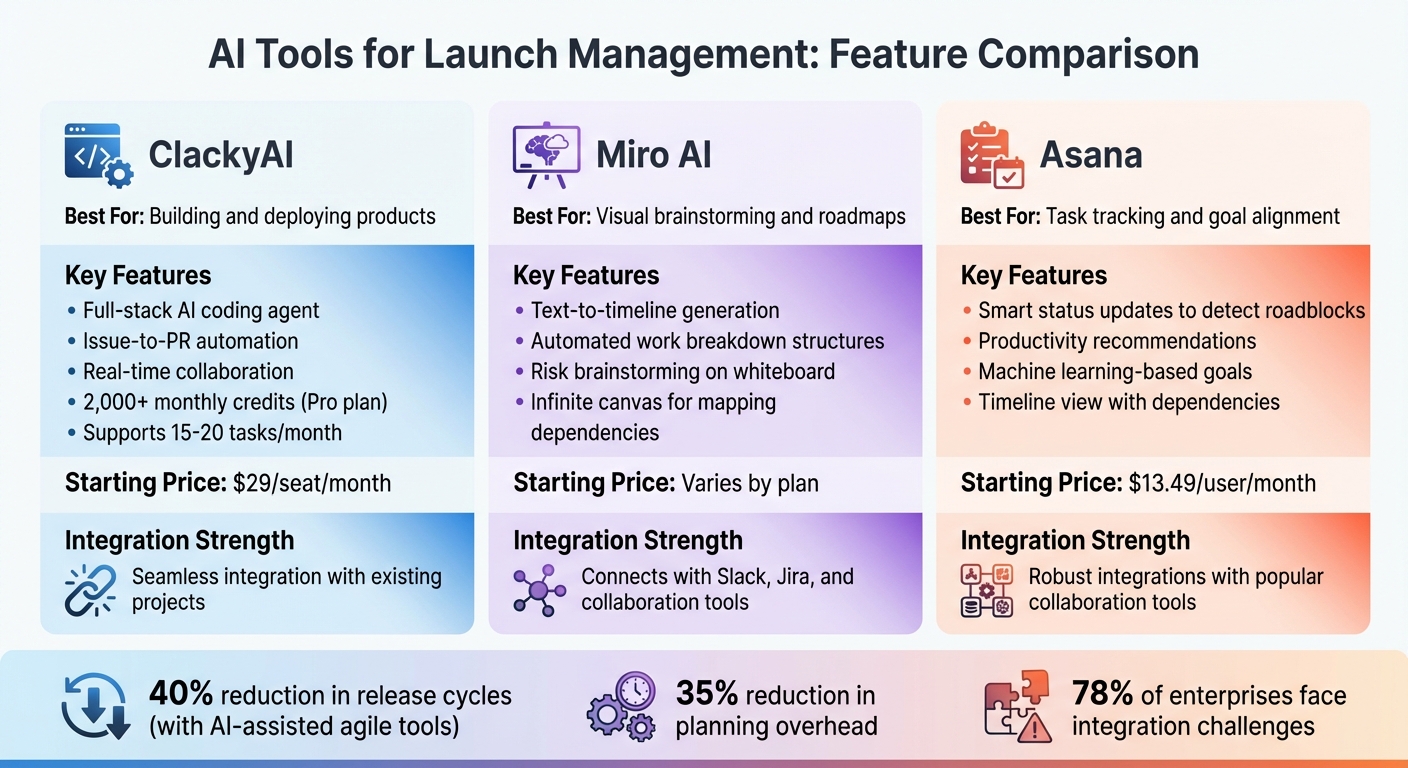
AI Tools Comparison for Product Launch Management
Now that we've explored automated planning and visualization, it's time to evaluate AI tools to find the best fit for managing your launch. The goal? Choose a tool that aligns with your team's specific needs and challenges.
Start by pinpointing your team's pain points - whether it's missed deadlines, fragmented communication, or tedious manual tasks - and look for a tool that directly addresses these issues [20]. The right tool should enhance your workflow, not complicate it. Below, you'll find a comparison of popular AI tools and their standout features, designed to help you make an informed decision.
AI Tools Comparison Table
Here's a breakdown of some of the top AI tools for launch management:
| Tool | Best For | Key Features | Starting Price | Integration Strength |
|---|---|---|---|---|
| ClackyAI | Building and deploying products | Full-stack AI coding agent; issue-to-PR automation; real-time collaboration | $29/seat/month | Seamless integration with existing projects |
| Miro AI | Visual brainstorming and roadmaps | Text-to-timeline generation; automated work breakdown structures; risk brainstorming on whiteboard [4][5] | Varies by plan | Connects with Slack, Jira, and other collaboration tools |
| Asana | Task tracking and goal alignment | Smart status updates to detect roadblocks; productivity recommendations; machine learning-based goals [17] | $13.49/user/month | Robust integrations with popular collaboration tools |
Each tool has its strengths. ClackyAI is a great pick for software launches, offering over 2,000 monthly credits on its Pro plan and support for 15–20 tasks per month. If your team thrives on visualizing complex workflows, Miro AI provides an infinite canvas for mapping dependencies [1][5]. Meanwhile, Asana is ideal for structured task management, though tweaking schedules may require manual input [18].
To ensure the tool you choose is a time-saver, take advantage of free trials. Many enterprises using AI-assisted agile tools have reported cutting release cycles by up to 40% and reducing planning overhead by 35% [21]. That said, compatibility with existing systems is a common hurdle - 78% of enterprises face challenges integrating AI tools into their workflows [19]. So, make sure the tool you select integrates smoothly with your current setup.
Ultimately, the best AI tool will complement your workflow and address your project-specific challenges, making your launch process more efficient and effective.
Conclusion
AI tools are reshaping how teams approach launch execution by combining clear scope setting, automated tracking, and smart visualization. By sticking to a structured process - defining a clear scope, automating task tracking, managing dependencies, and visualizing progress - you can hit your launch deadlines with confidence. Tools like ClackyAI take care of time-consuming tasks, from setting up environments automatically to detecting and fixing bugs on their own. This frees up your team to focus on strategic decisions rather than getting bogged down with repetitive manual work.
The numbers speak for themselves: some teams have managed to shrink what used to be six-month development cycles into just 2–3 weeks [22]. By following a strategic path - from defining the scope to automating deployment - you can ensure your product launch stays on schedule and aligned with your goals.
When choosing an AI tool, focus on what solves your specific workflow challenges. Whether you need help with full-stack deployment, visual roadmaps, or structured task management, there’s an AI solution out there that can cut debugging time by 40% [2] and keep your launch running smoothly. Start by exploring free trials, testing how well these tools integrate with your current systems, and working backward from your go-live date to uncover potential bottlenecks.
AI doesn’t just make launch management easier - it amplifies your team’s ability to work strategically. With the right tools and a solid approach, you can take your product from concept to market faster without sacrificing quality. The future of launch management isn’t about working harder; it’s about leveraging AI to streamline the process with precision and efficiency.
FAQs
How can AI tools help create and manage realistic launch timelines?
AI tools make it easier to create and manage launch timelines by automating essential tasks and delivering insights based on data. They simplify complex projects by breaking them into clear milestones, identifying dependencies, and offering realistic timeframes grounded in historical data and project details.
These tools also track progress in real-time, highlighting potential delays and recommending adjustments to keep things on schedule. By minimizing manual work and improving precision, AI tools help teams set realistic deadlines and respond quickly to changes, boosting the likelihood of a successful launch.
What are the advantages of using ClackyAI for automating tasks?
ClackyAI brings game-changing benefits to automating tasks in software development. Its ability to build workflows for intricate, multi-step processes means you can cut down on manual effort, save time, and minimize the risk of errors. With tools like conditional logic and self-correction, ClackyAI ensures operations stay on track and run reliably.
What’s more, ClackyAI works effortlessly with your current tools and repositories, fostering a collaborative setup that speeds up both product launches and updates. By simplifying workflows and boosting efficiency, it helps you deliver faster development cycles with consistent, dependable outcomes.
How can AI tools improve team collaboration and project management?
AI platforms such as Asana are transforming how teams collaborate by converting discussions into clear, actionable tasks and simplifying workflows. With capabilities like automated task creation and intelligent prioritization, these tools help minimize miscommunication and keep everyone focused on shared objectives.
They also boost productivity by automating routine tasks, providing real-time updates, and ensuring team members stay informed. By streamlining task management and keeping projects organized, AI-powered tools make teamwork smoother and more efficient.