







10 Ways AI Coding Tools Speed Up Development
AI coding tools are changing how developers work by automating repetitive tasks, speeding up workflows, and improving productivity. From writing code faster to debugging and testing, these tools save time and effort while assisting with complex tasks.
Here’s a quick summary of the key players and features:
- GitHub Copilot: Offers code suggestions, real-time debugging, and seamless IDE integration. Popular for its ability to automate repetitive tasks.
- ClackyAI: A cloud-based tool that handles issue-to-PR workflows and multi-threaded collaboration.
- Tabnine: Focuses on privacy and security, with context-aware suggestions for over 80 languages.
- AWS CodeWhisperer: Tailored for AWS environments, excels at automating repetitive coding and generating SQL queries.
- JetBrains AI Assistant: Fits directly into JetBrains IDEs, enhancing debugging and test generation without disrupting workflows.
- CodiumAI (Qodo): Specializes in real-time unit test generation and code integrity checks.
- Replit: Combines development, debugging, and deployment into a single platform, ideal for rapid prototyping.
- SonarQube with AI: Focuses on code quality validation, detecting bugs, and improving reliability.
- Testim: Automates UI testing with self-healing tests and intelligent grouping for debugging.
- GitHub Actions with AI: Enhances CI/CD workflows with AI-driven automation, including vulnerability scanning and pull request creation.
Quick Comparison:
| Tool | Best For | Key Features | Pricing (USD) |
|---|---|---|---|
| GitHub Copilot | General coding tasks | Autofix, test generation, IDE integration | Free/$10-$39 per month |
| ClackyAI | Teams needing automation | Issue-to-PR, real-time debugging | Free/$29-$59 per seat/month |
| Tabnine | Privacy-conscious enterprises | Context-aware completions, custom models | Free/$19-$39 per month |
| AWS CodeWhisperer | AWS-focused development | SQL generation, security scanning | Free/$19 per user/month |
| JetBrains AI | JetBrains IDE users | Debugging, test generation, seamless integration | Bundled with JetBrains plans |
| CodiumAI (Qodo) | Teams prioritizing testing | Unit test generation, PR reviews | Free/$30 per user/month |
| Replit | Rapid prototyping | Full-stack development, live collaboration | Free/$10-$33 per month |
| SonarQube with AI | Code quality assurance | Bug detection, static analysis | Free/$150+ per year |
| Testim | Automated UI testing | Self-healing tests, low-code interface | $450+ per month |
| GitHub Actions | CI/CD automation | AI-driven workflows, vulnerability scanning | Included with GitHub plans |
These tools are not just for speeding up development - they also help developers focus on creative problem-solving by offloading routine tasks. Whether you’re debugging, automating tests, or integrating CI/CD pipelines, there’s an AI tool to suit your needs.
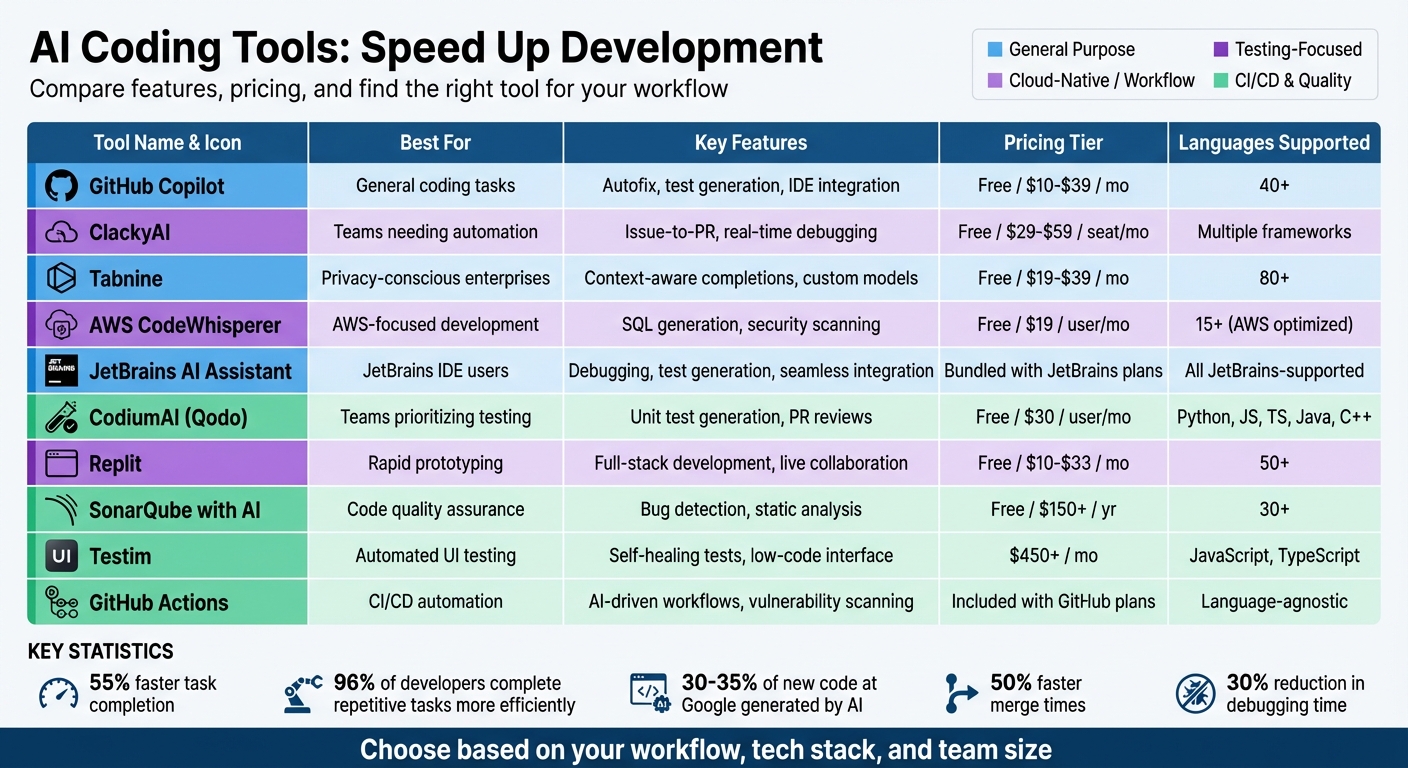
AI Coding Tools Comparison: Features, Pricing, and Best Use Cases
We Tier Ranked Every AI Coding Assistant
sbb-itb-c336128
1. GitHub Copilot
GitHub Copilot has come a long way from being a simple autocomplete tool. Today, it serves as a robust AI assistant that can handle complex workflows, fix test issues, and even review pull requests [1]. With over 20 million users and more than 3 billion code suggestions processed so far, it’s clear that Copilot is reshaping how developers approach coding [8]. These features directly contribute to quicker development cycles and smoother deployments, which ties into the larger conversation about AI speeding up innovation.
Code Generation Speed and Accuracy
When it comes to speed, Copilot doesn’t disappoint - it provides code suggestions in under 400 milliseconds [8]. Its multi-model capabilities allow developers to switch between OpenAI's GPT-4o for rapid prototyping and Anthropic's Claude 3.5 Sonnet for tackling more intricate refactoring tasks. Copilot's "Mission Control" feature takes things further by analyzing multiple files to map module relationships, enabling precise, project-wide refactoring [1][2]. The AI also pulls context from open tabs, the entire codebase, pull requests, and even team discussions, ensuring that its suggestions are highly relevant [2]. Johan Rosenkilde, Principal Researcher at GitHub Next, puts it simply:
"It's faster to hit 'tab' than write 20 characters myself" [4].
Debugging and Testing Support
Debugging and testing are made easier with Copilot’s advanced features. Its Copilot Autofix functionality identifies and resolves security vulnerabilities automatically, patching over a million vulnerabilities in 2025 alone [8]. Developers using Copilot reportedly create 40% more tests compared to those who work without AI assistance [5]. Commands like /tests, /fix, and /explain streamline test creation, debugging, and code explanations. Additionally, the Agent Mode refines outcomes in real time, ensuring higher-quality results [1][2].
Integration with Popular IDEs and CI/CD Tools
Copilot seamlessly integrates with a wide range of IDEs, including Visual Studio Code, Visual Studio, JetBrains IDEs, Neovim, Xcode, and Eclipse [11][12]. Its Copilot CLI extends these capabilities to the terminal, enabling tasks like repository exploration and test fixing directly from the command line [1]. For CI/CD workflows, Copilot connects effortlessly with GitHub Actions to debug workflows and generate pull request documentation. The "Copilot Edits" feature allows for simultaneous multi-file editing within VS Code, reducing errors during large-scale refactoring projects [2]. This level of integration highlights Copilot’s practical value for developers.
Pricing and Cost-Effectiveness in USD
| Plan | Price | Key Features |
|---|---|---|
| Free | $0 | 2,000 completions/month, 50 chat requests/month [11][12] |
| Pro | $10/month or $100/year | Unlimited completions, 300 premium requests/month, access to the latest models [11][12] |
| Pro+ | $39/month or $390/year | 1,500 premium requests/month, full model access including Claude Opus 4.1 [11][13] |
| Business | $19/user/month | Centralized management, policy control, IP indemnity [11][12] |
| Enterprise | $39/user/month | Custom codebase indexing, fine-tuned models [11][12] |
Students, teachers, and maintainers of popular open-source projects can access Copilot Pro for free [11][12]. The tool’s pricing becomes even more appealing when you consider the time it saves. Developers using Copilot spend 40–47% more time on system design, as it takes care of repetitive tasks like writing boilerplate code and handling syntax [3]. Teams have reported productivity boosts of over 30%, significantly reducing development timelines [10].
2. ClackyAI
ClackyAI takes a different approach compared to tools that plug into existing IDEs. It offers full-stack automation entirely in the cloud, managing workflows from interpreting issue descriptions to creating pull requests. By continuously monitoring your codebase in real time, it provides complete context for every task. This reduces back-and-forth revisions and ensures the generated code aligns with your needs from the outset. The result? Faster, more precise code generation.
Code Generation Speed and Accuracy
One of ClackyAI's standout features is its issue-to-PR automation, which turns written requirements directly into functional code and pull requests. Unlike other tools, ClackyAI has full awareness of your entire codebase, allowing it to seamlessly integrate new code into your existing architecture. Its Task Time Machine keeps a detailed log of every change, making it easy for teams to identify errors and review modifications. This transparency tackles a common developer concern: understanding exactly what changes the AI has made to their code.
Integration with Popular IDEs and CI/CD Tools
ClackyAI functions as a cloud-based development environment, not just an add-on for existing IDEs. It supports multiple frameworks and integrates smoothly with ongoing projects - no need to migrate your codebase. The platform offers real-time debugging and precise diagnostics to streamline development. For teams, its multi-threaded development feature allows multiple developers to work on different tasks simultaneously while sharing context. This ensures the AI understands how various work streams fit together, reducing merge conflicts and improving collaboration.
Pricing and Cost-Effectiveness in USD
| Plan | Price | Computing Resources | Monthly Credits | Best For |
|---|---|---|---|---|
| Hobby | Free | 2c/4G | 300 | Testing the platform (1-3 tasks/month) |
| Pro | $29/seat/month | 4c/8G | 2,000 + 1,000 | Small teams and startups (15-20 tasks/month) |
| Business | $59/seat/month | 8c/16G | 4,000 + 2,000 | Large teams (30-40 tasks/month) |
| Enterprise | Custom pricing | Up to 32c/64G | Customizable | Organizations with specific needs |
Every paid plan includes real-time collaboration and a 30-day task stash period. The Pro plan accommodates up to 10 workspace seats, while the Business and Enterprise plans allow unlimited seats. For those curious about ClackyAI’s capabilities, the free Hobby plan provides a risk-free way to test its full-stack automation before committing to a subscription.
3. Tabnine
Tabnine, like other AI coding tools, speeds up development by cutting down on manual work and improving code quality. One of its standout features is the Enterprise Context Engine, which provides context-aware suggestions tailored to your codebase. Supporting over 80 programming languages, Tabnine simplifies various stages of development, from initial planning to final documentation [15]. This aligns with the growing trend of AI tools optimizing every step of the development process.
Code Generation Speed and Accuracy
In May 2024, CI&T, a global digital solutions provider, shared impressive results: its developers accepted 90% of Tabnine's single-line coding suggestions. This led to an 11% boost in productivity across projects [14]. Studies further reveal that AI tools like Tabnine can reduce the time developers spend on tasks by 45% for code generation and 50% for documentation [15].
"Tabnine has boosted developer productivity for CI&T: The company's developers accept 90% of the tool's single-line coding suggestions, resulting in an 11% productivity increase across projects." – Luis Ribeiro, Head of Engineering, CI&T [14]
Tabnine also prioritizes compliance and security by training its models solely on open-source code with permissive licenses [16]. Additionally, developers can train private models on their own codebases, ensuring suggestions are even more relevant to their specific projects [15].
Integration with Popular IDEs and CI/CD Tools
Beyond its code generation capabilities, Tabnine integrates effortlessly with major IDEs like Visual Studio Code, IntelliJ IDEA, PyCharm, WebStorm, CLion, PhpStorm, Eclipse, Android Studio, and Sublime Text. This seamless integration allows developers to stay focused within their workflows [15].
Tabnine also offers flexible deployment options to fit various security needs, including SaaS, Virtual Private Cloud (VPC), on-premises setups, and air-gapped environments [14][16]. For developers working in restricted or secure settings, Tabnine provides an offline mode powered by a local AI model [17][18].
Pricing and Cost-Effectiveness in USD
| Plan | Price | Best For | Key Features |
|---|---|---|---|
| Free | $0/month | Testing the platform | Basic AI code completions |
| Pro | $19/month | Individuals & small teams | AI chat, context-aware generation, test/document creation, 90-day free trial |
| Enterprise | $39/month/user | Large organizations | Custom models, air-gapped deployment, enterprise security |
The Pro plan comes with a 90-day free trial, giving users plenty of time to assess its value before committing [14].
"Tabnine is the best AI coding assistant. I am on the pro version and it has become an indispensable tool. I'm easily 50% faster with coding as well as documenting my code." – Michael Boeni [14]
In recognition of its impact, Gartner named Tabnine a Visionary in the 2025 Magic Quadrant for AI Code Assistants [14].
4. AWS CodeWhisperer
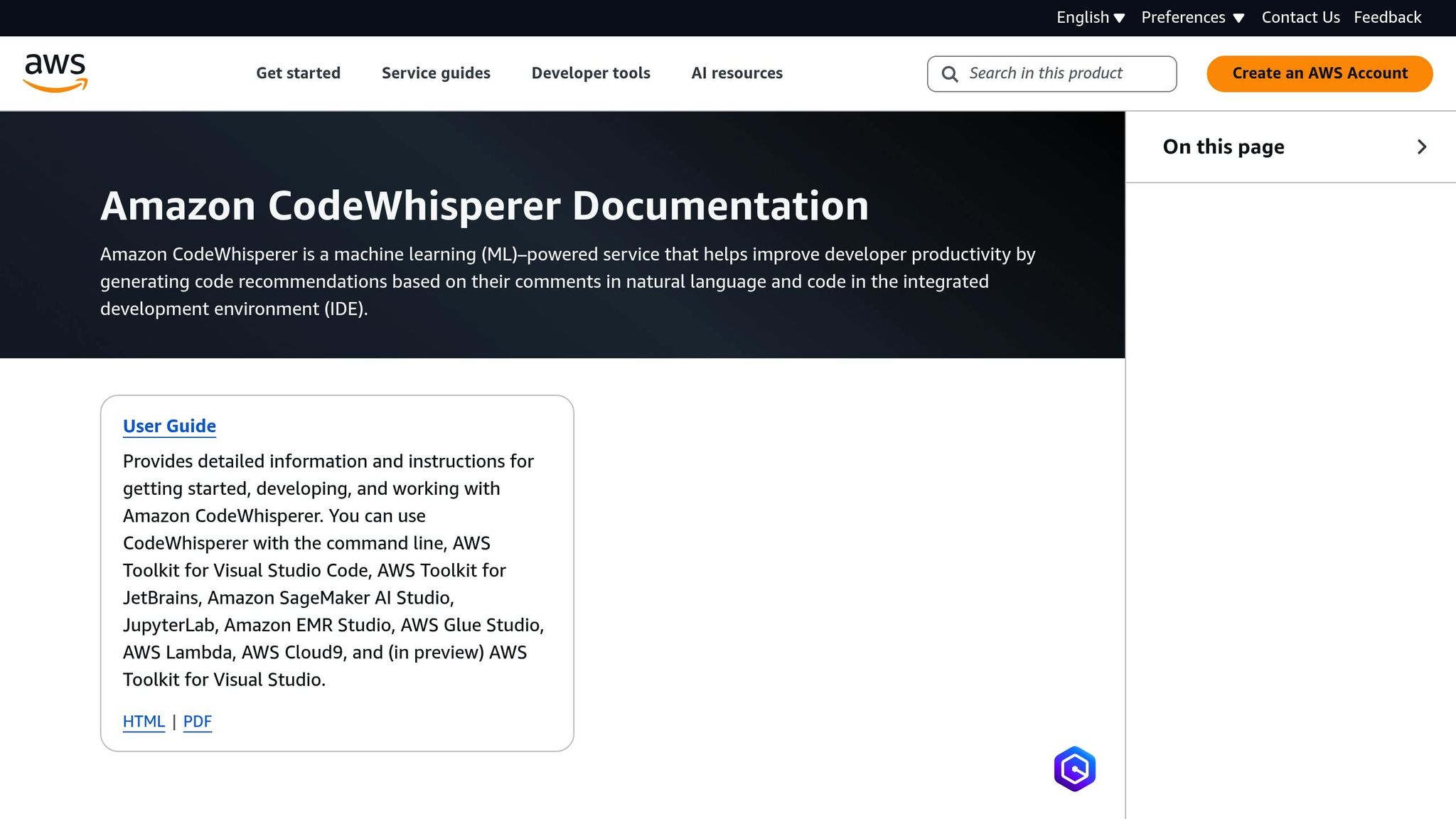
In late 2024, AWS CodeWhisperer was rebranded as Amazon Q Developer, signaling a move toward more integrated development platforms [21]. This shift highlights its focus on delivering specialized performance tailored to AWS environments. The tool is designed to generate real-time code snippets and complete functions based on natural language comments and the context of your existing code [20].
Code Generation Speed and Accuracy
CodeWhisperer is particularly effective for automating repetitive coding tasks, such as creating boilerplate code for classes, endpoints, and routing. It shines in AWS-centric development scenarios involving services like Lambda, Glue, and EMR [20][9]. Developers have reported significant time savings, with development speeds improving by 30–55%, alongside a 40% increase in the number of tests written [5].
One of its standout capabilities is generating complex SQL queries from plain English prompts. Simply describe what you need, and CodeWhisperer delivers the query instantly [9]. Its contextual understanding improves even further when related files are open in your IDE, allowing it to provide more precise and relevant suggestions [3].
Support for Debugging and Testing
Beyond code generation, CodeWhisperer offers robust tools for debugging and testing. It includes built-in security scanning to detect vulnerabilities directly within your IDE, catching potential issues early rather than during the CI/CD phase [19]. Additionally, its reference tracker identifies when generated code is similar to open-source training data, providing repository URLs and license details to streamline compliance checks [5].
Integration with Popular IDEs and CI/CD Tools
CodeWhisperer integrates seamlessly through the AWS Toolkit extension, supporting a range of development environments such as Visual Studio Code, JetBrains IDEs, Visual Studio, AWS Cloud9, JupyterLab, Amazon SageMaker Studio, and the AWS Lambda console [20]. Existing CodeWhisperer Professional users can transition to Amazon Q Developer Pro without losing their subscriptions, customizations, or tags [21].
Pricing and Cost-Effectiveness in USD
The Individual Tier is available for free to individual developers with an AWS Builder ID [5]. For organizations, Amazon Q Developer Pro offers enhanced security and administrative controls, with enterprise plans priced at approximately $19–$20 per user per month [21]. For teams already engaged in the AWS ecosystem, this pricing structure provides excellent value. The free tier is particularly advantageous for individual developers and smaller projects, while the tailored AWS features help streamline workflows and significantly cut development time.
5. JetBrains AI Assistant
JetBrains AI Assistant is designed to work directly within popular IDEs, making it a natural extension of your existing workflow [22]. Unlike tools that force you to juggle between interfaces or adopt new systems, this assistant fits right into the tools you already use, enhancing your productivity without disrupting your routine. It builds on automation trends popularized by tools like GitHub Copilot and Tabnine, focusing on reducing the need to switch contexts.
Code Generation Speed and Accuracy
At its core, JetBrains AI Assistant is powered by Mellum, a model fine-tuned for speed and accuracy [22]. This optimization helps cut down on the errors, or "hallucinations", often seen with more general-purpose AI models. One of its standout features, Next Edit Suggestions, predicts your next coding step, streamlining the development process [23]. Developers report saving as much as 8 hours per week by automating tasks like unit test generation. Impressively, these AI-generated tests often achieve over 70% statement coverage [9].
The assistant also supports multiple AI models, such as GPT-4o, Claude 3.5 Sonnet, and Gemini 1.5 Pro, giving developers flexibility for tackling more complex coding challenges [22]. Another handy feature is @mentions in chat, which provides accurate, project-specific insights [23].
Debugging and Testing Made Easier
Debugging is a breeze with the "Explain with AI" feature, which analyzes errors in your code and suggests or even applies fixes directly [23]. The assistant can also create structured unit tests by analyzing your code and documentation. It accounts for a variety of input scenarios and edge cases, all without requiring manual setup [23]. To safeguard sensitive information, developers can use an .aiignore file to restrict the assistant's access to specific files or folders, ensuring proprietary code remains private [23].
Seamless Integration with IDEs and CI/CD Tools
JetBrains AI Assistant doesn't stop at coding - it also simplifies tasks like generating commit messages, pull request titles, and merge descriptions [23]. Its AI-powered Git Conflicts dialog is particularly useful, helping developers resolve tricky merge conflicts more efficiently [23]. The assistant integrates with YouTrack as well, enabling users to identify actions, create tasks from text, and generate project summaries [22]. These features work together to create a smoother, faster workflow, mirroring the efficiencies offered by other leading AI tools.
"By integrating with Codey and Vertex AI, JetBrains can significantly improve developer experiences with AI-powered code completion, debugging, and generative explanations to accelerate every stage of the software development lifecycle." - Warren Barkley, Senior Director of Product Management for Vertex AI, Google Cloud [22]
Pricing and Subscription Options
JetBrains AI Assistant offers core features for free within JetBrains IDEs as of late 2025 [22]. For advanced capabilities like Next Edit Suggestions, users can subscribe to JetBrains AI Pro, AI Ultimate, or AI Enterprise [22]. The assistant also supports a Bring Your Own Key (BYOK) option, allowing developers to use personal API keys for AI chat and agents [22]. For teams already using the JetBrains platform, this pricing model provides a cost-effective way to boost productivity without the need for extra tools or extensive training.
6. CodiumAI
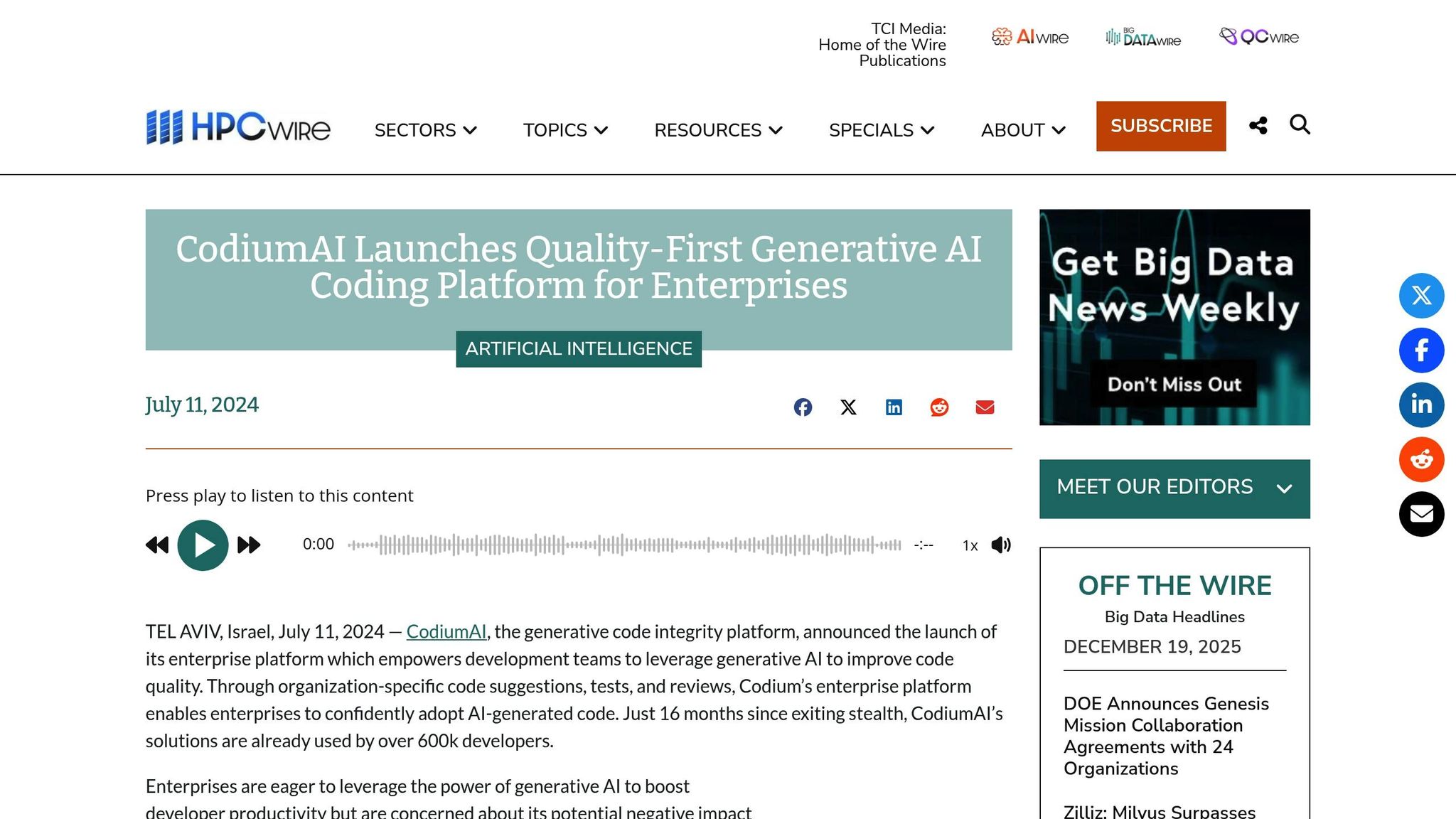
CodiumAI, now known as Qodo, zeroes in on one key area: test generation. Its main focus is creating unit tests in real time, helping developers roll out features faster while improving code reliability and reducing debugging headaches.
Support for Debugging and Testing
Qodo works alongside you, analyzing your code and suggesting relevant unit tests as you write. This proactive approach helps catch bugs early in the process, saving you from spending hours troubleshooting later. It ensures your code performs as expected across various scenarios, making your development workflow smoother and more efficient.
Integration with Popular IDEs and CI/CD Tools
Qodo seamlessly integrates with widely-used tools like VS Code and JetBrains IDEs (IntelliJ IDEA, WebStorm, PyCharm, CLion). It also works effortlessly with version control platforms and CI/CD pipelines, including GitHub, GitLab, and Bitbucket, giving you complete visibility across the entire development cycle.
Pricing and Plans in USD
Qodo offers a free tier tailored for individual developers in the U.S., making it an accessible option for those just starting out. For teams, there are flexible paid plans available on a monthly or annual basis. These options provide powerful testing tools at a reasonable cost, making Qodo a smart choice for developers and small teams who want to enhance their testing capabilities without overspending.
7. Replit
Replit stands out from most AI coding assistants by offering more than just code suggestions - it provides a complete development environment. This platform handles everything from setting up your project to deploying it. Its AI Agent can create full-stack applications from scratch using plain English descriptions. It takes care of configuring databases, setting up authentication systems, and deploying your app seamlessly. By combining development, debugging, and deployment into one platform, Replit simplifies the entire coding process.
Code Generation Speed and Accuracy
Replit's AI Agent is excellent at full-project scaffolding, automating tasks that typically require manual effort. For instance, you can describe your idea in natural language - such as "Build a React app with a login form and database connection" - and the AI will generate working frontend interfaces, backend logic, and database structures. Supporting 16 programming languages, including JavaScript and Python, Replit ensures flexibility regardless of your tech stack [6].
"The biggest beneficiaries are front-end engineers, where there is so much boilerplate and repetition in the work." - Amjad Masad, CEO, Replit [25]
To make the most of Replit, use detailed prompts and break complex projects into smaller steps. For critical features like security or performance, it's wise to ask the AI to explain its approach before implementing the code [24].
Support for Debugging and Testing
Replit simplifies debugging with its browser-based tools, allowing you to run code, detect failed tests, and get explanations for test failures. You can use plain English prompts like "Find and fix issues in my code" or "Explain this function" to identify bugs and better understand tricky logic. The AI can also generate unit tests automatically, such as hit/miss tests for caching layers, ensuring your code is reliable before deployment [24].
Since Replit integrates the editor, terminal, and hosting into one platform, its AI has a complete view of your environment. This enables it to address configuration errors, missing dependencies, and deployment problems - tasks that traditional autocomplete tools often miss. Additionally, the platform supports real-time collaboration, allowing multiple developers to work on and test code together in a Google Docs–style interface [26].
Pricing and Cost-Effectiveness in USD
Replit offers a free Starter plan, which includes trial Agent credits and access to 10 public apps, making it easy to explore the platform without spending money. For more advanced needs, the Core plan costs $20/month (billed annually) and provides $25 in monthly credits, unlimited development time, private apps, and 50 GiB of storage - an excellent option for solo developers and hobbyists. Teams can opt for the Teams plan, priced at $35/user/month (billed annually), which includes $40 in monthly credits per user, 8 vCPUs, 16 GiB of RAM, and 256 GiB of storage [27][28].
"The rapid prototypes we build on Replit shift the dialog from 'Should we?' to 'How should we?' and that's a world of difference when driving substantive change." - Chris Stevens, CMO of Spot Hero [27]
Replit uses a credit-based system for its AI Agent and compute resources. While monthly plans include credits, heavy users may incur additional charges. Reserved VM deployments start at $20/month, and PostgreSQL storage costs $1.50/GB/month plus $0.16 per compute hour [28]. If you're running resource-heavy applications, keep an eye on your usage to avoid unexpected expenses.
8. SonarQube with AI

SonarQube with AI takes a unique approach compared to most AI coding tools. Instead of focusing on code generation, it prioritizes automating code quality validation and fixes, acting as a quality gatekeeper. It identifies bugs, security vulnerabilities, and performance issues that might arise in AI-generated code. The AI Code Assurance feature is designed to detect problematic patterns often produced by large language models, such as hidden performance bottlenecks (e.g., sequential I/O operations in loops) or subtle logical errors that traditional linters might overlook[29]. This ensures that while AI tools speed up code generation, they also maintain reliability and security.
Support for Debugging and Testing
SonarQube's AI CodeFix feature simplifies debugging by automatically suggesting fixes for identified bugs and vulnerabilities, whether you're working in your IDE or reviewing pull requests. This reduces the time spent on manual debugging, allowing developers to focus on broader architectural decisions. With support for over 30 programming languages, SonarQube ensures that both human-written and AI-generated code meet stringent quality standards[30].
"AI CodeFix provides automatic suggestions for common code issues within pull requests and IDEs. This saves time by reducing manual debugging." - Sonar[29]
The SonarQube IDE extension provides real-time feedback as you type or as AI generates code. It flags issues like code smells and security hotspots immediately. When connected to SonarQube Server or Cloud through Connected Mode, the extension synchronizes local IDE settings with centralized quality profiles, ensuring consistency across teams. It even integrates with Copilot's Agent Mode, enabling natural language-triggered security scans. For example, you can simply type, “Find any security hotspots in the current file,” and let the tool do the work[31].
Integration with Popular IDEs and CI/CD Tools
SonarQube enhances its debugging capabilities with seamless integration into widely-used IDEs like VS Code, IntelliJ, Visual Studio, and Neovim. For CI/CD workflows, it works with platforms like GitHub Actions, automatically analyzing branches and pull requests. Its Quality Gates serve as a final step in the workflow, blocking merges that don't meet predefined standards for reliability, security, or maintainability.
Pricing and Cost-Effectiveness in USD
SonarQube offers a flexible pricing model, making it an accessible option for developers and teams of all sizes.
- The SonarQube IDE extension is available for free, ideal for individual developers and small teams.
- SonarQube Cloud includes a free tier for open-source projects, with additional Team and Enterprise plans for advanced features.
- For those who prefer self-hosted solutions, SonarQube Server is available in multiple editions: Community (free), Developer, Professional, and Enterprise.
This tiered pricing structure allows teams to start without any upfront cost and scale as their needs expand, making it a practical choice for organizations of any size.
9. Testim
Testim zeroes in on one mission: keeping tests stable. It leverages machine learning to tackle flaky tests caused by UI changes. By analyzing the DOM in depth, Testim identifies UI elements and adapts when developers update CSS classes or element IDs. The AI steps in, using alternative strategies to locate those elements, ensuring tests remain reliable even as interfaces evolve. This approach simplifies debugging and streamlines test maintenance.
Support for Debugging and Testing
One standout feature of Testim is its auto-healing capability. When UI changes occur, tests automatically adjust themselves, reducing the need for manual intervention. Alongside this, the platform offers intelligent grouping, which clusters related test failures to make debugging more efficient. The Smart Recorder, with its low-code interface, enables teams to create stable and reusable test components quickly, speeding up the testing process.
"Testim uses machine learning specifically to solve the 'flaky test' problem that drives everyone crazy." - Joe Colantonio, Founder, TestGuild [32]
Testim also incorporates smart execution, a feature that prioritizes tests most likely to catch new issues. This reduces CI/CD pipeline wait times, making it especially valuable for mid-sized teams (10–50 members) who need reliable automation without the complexity of larger enterprise tools.
Integration with Popular IDEs and CI/CD Tools
Testim’s auto-healing tests integrate seamlessly into CI/CD workflows, making it a practical choice for teams that deploy frequently. This integration ensures that automated test suites don’t become roadblocks when UI updates occur. While Testim primarily focuses on UI and functional test automation, it complements other specialized tools to provide broader coverage across the development lifecycle.
Pricing and Cost-Effectiveness in USD
With its ability to minimize test downtime, Testim speeds up development cycles - an important factor for teams aiming to ship products faster. Pricing starts at $450 per month, offering a mid-range solution that reduces maintenance efforts and accelerates deployment timelines [32].
10. GitHub Actions with AI-Driven Workflows
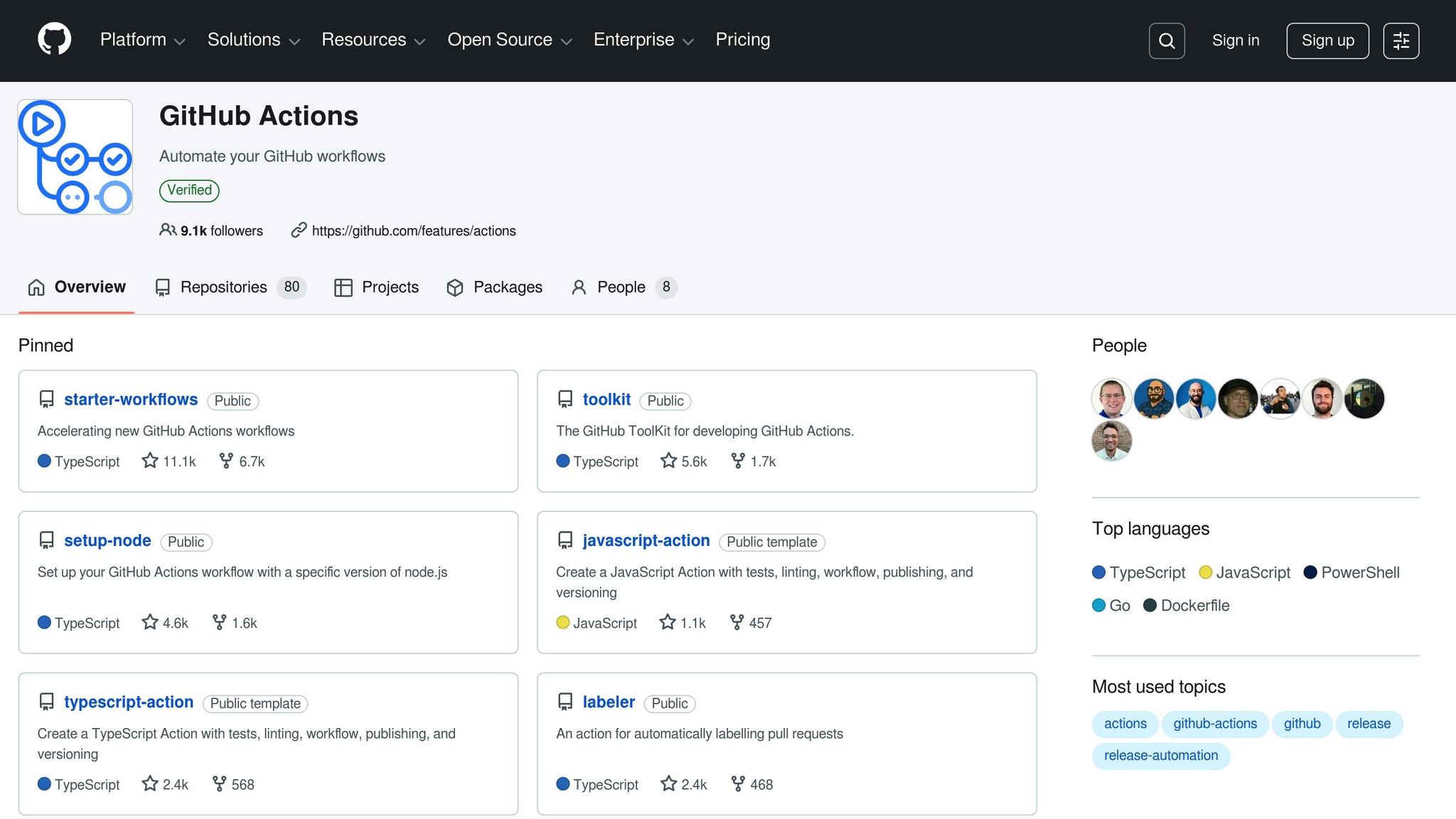
GitHub Actions has grown into much more than a basic automation tool. With the integration of AI, it now handles complex workflows that once required manual effort. For example, AI-powered coding agents can scan repositories, identify issues, and even create pull requests to address them [8][33]. A standout feature, Copilot Autofix, automatically detects and fixes vulnerabilities throughout development and deployment, helping to minimize the risk of releasing insecure code [8]. These AI-driven workflows are incredibly active, powering over 50 million runs daily and contributing to around 1.2 million pull requests every month [8]. This level of automation not only streamlines deployments but also enhances development speed and testing efficiency.
Code Generation Speed and Accuracy
The time savings with AI are impressive. Developers using GitHub Copilot complete tasks 55% faster compared to those working without AI tools [1][9]. For instance, building a simple web server, which typically takes 2 hours and 41 minutes, can be reduced to just 1 hour and 11 minutes with AI assistance. The near-instant responses from AI tools significantly cut down on waiting time during code generation. Features like “Mission Control” and “Agent Mode” allow developers to tackle multi-step workflows - such as refactoring entire modules or opening draft pull requests - directly from their editor or terminal [1][8].
"Copilot lives in GitHub. That means it's close to everything else you do, whether it's your pull requests, GitHub Actions workflows, or CI/CD pipelines." - Ashley Willis, Senior Director of Developer Relations, GitHub [8]
Support for Debugging and Testing
AI workflows also shine when it comes to debugging and testing. These tools can analyze deployment logs to identify failures and suggest targeted fixes [33]. For example, after a failed CI run, the copilot fix tests command can locate the issue and offer a solution for review [1]. Teams using AI-assisted review workflows report 50% faster merge times and a 5% increase in approval rates [9]. On top of that, AI debugging tools can reduce repetitive debugging efforts by up to 30%, while AI-generated unit tests achieve more than 70% statement coverage [9].
Integration with Popular IDEs and CI/CD Tools
GitHub's AI features are seamlessly integrated into popular development environments, making them accessible across the full development lifecycle. These tools work natively with IDEs like VS Code, JetBrains, Neovim, and Visual Studio [5]. Developers can even use AI chat interfaces within their IDEs to generate deployment scripts or set up CI/CD pipelines for platforms like AWS EC2 or Heroku - just by using plain-English commands [34]. Additionally, integration with tools like Playwright allows AI agents to launch applications, interact with the user interface, and capture screenshots for review within pull requests [35]. Developers can also customize AI behavior by adding a .copilot-instructions.md file to guide the AI on specific naming conventions, test frameworks, or documentation styles [8].
Pricing and Cost-Effectiveness in USD
GitHub Actions' AI-driven workflows offer an immediate return on investment by saving time and boosting productivity. For a team of five developers, the pricing becomes a clear win when each team member saves just one hour per month at a $20 hourly rate. In reality, reported time savings range from 5 to 10 hours per developer per month, making the cost savings even more substantial [5].
Feature Comparison Table
Selecting the right AI coding tool depends on your specific requirements, tech stack, and budget. Below is a comparison of 10 tools based on the programming languages they support, their compatibility with IDEs, debugging and testing features, pricing (in USD), and ideal use cases.
| Tool | Supported Languages | IDE Compatibility | Debugging & Testing Features | Pricing (USD) | Best For |
|---|---|---|---|---|---|
| GitHub Copilot | 40+ languages, including Python, JavaScript, TypeScript, Ruby, Go | VS Code, JetBrains, Neovim, Visual Studio | copilot fix tests command, automated PR reviews, test generation, Autofix for vulnerabilities |
Free (2,000 completions/mo); Individual $10/mo; Business $19/mo; Enterprise $39/mo | General-purpose development with strong GitHub integration |
| ClackyAI | Multiple frameworks supported in cloud environment | Cloud-based IDE with full codebase awareness | Real-time debugging, precision diagnostics, Task Time Machine for tracking AI modifications | Hobby Free (300 credits/mo); Pro $29/seat/mo (2,000+1,000 credits); Business $59/seat/mo (4,000+2,000 credits) | Teams needing issue-to-PR automation and collaborative multi-threaded development |
| Tabnine | 80+ languages, including Java, C++, PHP, Rust | VS Code, JetBrains, Sublime, Vim, Eclipse | AI chat, test creation, Jira integration | Free (basic completions); Dev $9/user/mo; Enterprise $39/user/mo (on-prem/air-gapped) | Privacy-conscious enterprises requiring on-premise deployment |
| AWS CodeWhisperer | 15+ languages optimized for AWS services | VS Code, JetBrains, AWS Cloud9, Lambda console | Security vulnerability scanning with AI-powered patches | Free for individuals; Pro $19/user/mo | AWS-native development and cloud architecture |
| JetBrains AI Assistant | All languages supported by JetBrains IDEs | Native to all JetBrains IDEs (IntelliJ, PyCharm, WebStorm, etc.) | Context-aware debugging, test generation, code explanation | Bundled with JetBrains subscriptions | Developers already using the JetBrains ecosystem |
| CodiumAI (Qodo) | Python, JavaScript, TypeScript, Java, C++ | VS Code, JetBrains, GitHub | PR reviews, code integrity checks, automated test generation with RAG-based context | Developer Free (250 credits); Teams $30/user/mo (2,500 credits); Enterprise Custom | Quality-focused teams prioritizing code integrity and PR reviews |
| Replit | 50+ languages with browser-based execution | Replit's native cloud IDE | Live collaboration, instant deployment, AI-powered debugging | Limited version free; Core $10/mo; Teams $33/mo | Rapid prototyping, educational projects, and collaborative coding |
| SonarQube with AI | 30+ languages for code quality analysis | Integrates with CI/CD pipelines, works with any IDE | Deep static analysis for bugs, vulnerabilities, and code smells | Community Edition free; Developer Edition starts at $150/year | Enterprise teams focused on code quality and security compliance |
| Testim | JavaScript, TypeScript (UI testing focus) | Integrates with Selenium, Cypress, and CI/CD tools | AI-powered self-healing tests that adapt to UI changes | Custom pricing based on test runs | QA teams automating UI and regression testing |
| GitHub Actions with AI | Language-agnostic (workflow automation) | Native GitHub integration, works with all IDEs | AI agents for vulnerability scanning, automated PR creation, deployment log analysis | Included with GitHub plans; usage-based pricing for compute | Teams automating CI/CD workflows and deployment pipelines |
This table showcases how each tool supports faster and more efficient development in specific ways. Whether you're looking for deep IDE integration, advanced debugging tools, or cloud-native compatibility, there's an option tailored to your workflow and project needs. Use this guide to pinpoint the tool that aligns best with your priorities.
Conclusion
AI coding tools are transforming development by taking over tasks like generating boilerplate code, automating documentation, and creating tests. This lets developers shift their focus to design and problem-solving. The numbers speak for themselves: developers report completing tasks up to 55% faster [3][5][36], and 96% say they breeze through repetitive tasks more efficiently with AI assistants [7]. At Google, some teams now see 30–35% of their new code generated by AI [9].
But it’s not just about speed. Teams using AI tools report spending 45–50% less time on documentation, cutting debugging efforts by 30%, and achieving 50% faster merge times [9]. On top of that, 88% of developers feel more productive, and 74% say they can dedicate more time to work they find fulfilling [5][7]. As Thomas Dohmke, CEO of GitHub, highlighted:
"In the last year Copilot has suggested - and had okayed by developers - more than a billion lines of code" [36].
Each AI tool brings something unique to the table. GitHub Copilot integrates seamlessly into its ecosystem, ClackyAI automates tasks like issue-to-PR workflows, Tabnine prioritizes privacy, and AWS CodeWhisperer is tailored for cloud-native development. Whether you're an independent developer or leading a large team, there’s an AI assistant designed to fit your needs and speed up your development process.
Start by using AI for tasks like unit tests, documentation, or refactoring. Always review the generated code, just as you would with input from a human collaborator. The benefits are immediate, no matter the size of your team.
As mentioned earlier, these tools aren’t here to replace developers - they’re here to work alongside them. From GitHub Copilot to AWS CodeWhisperer, AI assistants empower developers to innovate faster and with more confidence. Add one to your workflow today and see how it can help you code smarter, ship faster, and focus on the work that truly excites you.
FAQs
How do AI coding tools help developers work faster and more efficiently?
AI coding tools are transforming the way developers work by taking over repetitive tasks like generating code, completing boilerplate sections, and spotting bugs as they happen. This not only simplifies the development process but also speeds it up significantly - often by an impressive 30% to 55%.
By automating routine tasks and offering intelligent suggestions, these tools allow developers to concentrate on the more intricate and creative parts of their projects. Tools like GitHub Copilot and Tabnine are great examples, helping teams iterate faster and deliver polished, reliable software with added confidence.
How do GitHub Copilot and AWS CodeWhisperer compare as AI coding tools?
GitHub Copilot and AWS CodeWhisperer are two AI-driven tools designed to help developers code more efficiently, but they cater to different needs and environments.
GitHub Copilot, powered by OpenAI's Codex model, works seamlessly with popular IDEs like VS Code, JetBrains, and Neovim. It offers a variety of features, including multi-file editing, code refactoring, documentation generation, and even automatic unit test creation. Its broad compatibility makes it a great fit for developers working across various programming languages and workflows.
AWS CodeWhisperer, on the other hand, is specifically built for developers focusing on the AWS ecosystem. It integrates with AWS Toolkit-supported IDEs like VS Code and Cloud9, providing AWS-centric code recommendations, security checks, and vulnerability scanning. This makes it a strong choice for teams heavily invested in AWS services, ensuring smooth alignment with the AWS cloud infrastructure.
In short, Copilot shines as a versatile tool for general coding tasks, while CodeWhisperer is tailored for AWS-specific development with a focus on security and cloud integration.
Are AI coding tools safe for use in enterprise environments?
Yes, many AI coding tools, including GitHub Copilot and AWS CodeWhisperer, are built with strong security protocols to meet the demands of enterprise environments. They run on reliable platforms like Azure, incorporate stringent data protection practices, and feature safeguards such as toxicity filters, code-quality assessments, and vulnerability scanners.
Additionally, these tools often offer extra protections tailored for businesses, like indemnity guarantees. This allows organizations to adopt them confidently, ensuring that security and compliance requirements remain intact.